
DeepL Pro 1.17.0 Text translation software

DeepL Pro

 1.17.0 - Text translation software

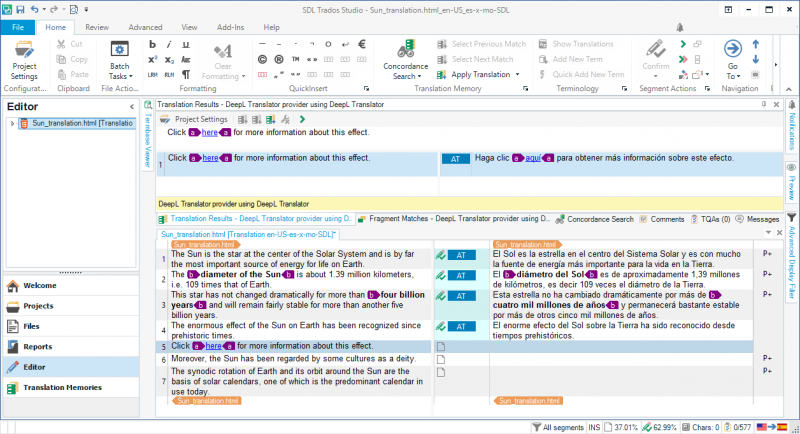
DeepL Pro is an automatic translation service capable of translating from and into seven European languages ​​with significantly higher quality than other solutions available online, such as Google Translate or Microsoft Translator. This program DeepL is able to translate entire sentences, in the absence of context, with a better quality than a human translator. Emails, essays, blog posts, reports – translate instantly, no matter what or where you’re writing. You have full control over which applications function with DeepL for Windows.
image

Overview of DeepL Pro Features

  • Try out the world’s best machine translation.
  • Translate text in any and all applications on your computer.
  • The fastest and easiest way to translate is using DeepL.

System Requirements for DeepL Pro

  • Supported OS: Windows 7/8/10
  • Free Hard Disk Space: 500 MB or more
  • Evaluate:
    12345
    52 Rated
  • Operating system:
  • Latest updates: 14-08-2022
  • License: Free
  • Publisher: DeepL
  • File size: 168 Mb
  • Download: 127
DeepL Pro
Related apps :
  • CrystalDiskInfo

    CrystalDiskInfo Monitor the status and health of hard drives

    Gives you complete information about your computer's hard drive, as well as its temperature and current status

  • NetSetMan

    NetSetMan Network Settings Manager

    Manages network configuration settings, allowing users to switch between network profiles on the computer

  • Balabolka

    Balabolka Text-To-Speech Program

    Text-To-Speech (TTS) program can use any voice installed on your system including spell check, correct pronunciation

  • Format Factory

    Format Factory Video and audio conversion software

    Convert most of existing video and audio formats into the files you need with a selection of important parameters

  • Executor

    Executor Windows launcher and run replacement

    Windows launcher and run replacement, to rid me of spending too much time in windows start-menu, desktop and windows run